
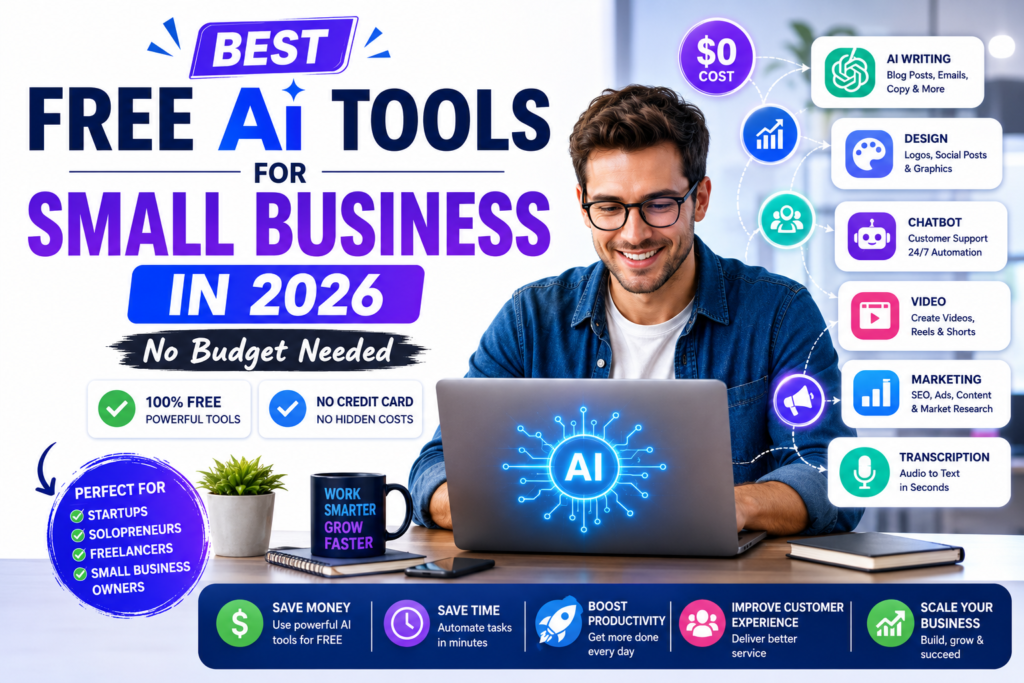
You do not need a big budget to start using artificial intelligence in your small business. In 2026, some of the most powerful AI tools on the market offer generous free plans that give small business owners access to technology that was previously only available to large enterprises. This guide covers the best completely free AI tools available in 2026 — organised by business function so you can find exactly what your business needs right now.
Why Free AI Tools Are Good Enough for Most Small Businesses
Many small business owners assume that meaningful AI tools require expensive subscriptions. This assumption is increasingly wrong. The competitive pressure between AI companies has driven a race to the bottom on pricing — with the result that free tiers are now genuinely powerful. ChatGPT’s free plan, for example, gives access to GPT-4o — one of the most capable AI models in the world — at absolutely no cost. For a small business owner just getting started with AI, free tools can save 5 to 10 hours per week before you spend a single dollar.
Free AI Tools for Marketing and Content Creation
ChatGPT Free (OpenAI)
What it does: Writes marketing copy, social media posts, email campaigns, blog articles, product descriptions and almost any other text you need for your business. Free plan includes: Access to GPT-4o, unlimited conversations (with daily usage limits), image generation with DALL-E, web browsing for current information and basic data analysis. Best for: Any small business that produces written content — which is every small business. How to use it for your business: • Write social media captions: “Write 5 Instagram captions for my [type of business] targeting [your audience]” • Create email newsletters: “Write a monthly newsletter for my [business type] customers about [topic]” • Generate blog ideas: “Give me 20 blog post ideas for a [business type] that would help my customers with [problem]” • Write product descriptions: “Write a compelling product description for [product] targeting [customer type]” Get started: chatgpt.com — free account required
Google Gemini Free
What it does: Similar capabilities to ChatGPT with deep integration into Google Workspace — Gmail, Google Docs, Google Slides and Google Sheets. Free plan includes: Access to Gemini 1.5 Flash, integration with Google products, web access and image understanding. Best for: Small businesses already using Google Workspace — Gemini integrates directly into your existing tools. Get started: gemini.google.com — free with any Google account
Canva AI (Free Plan)
What it does: Creates professional visual content for social media, presentations, flyers, business cards, email headers and more — with AI-powered design suggestions and text generation. Free plan includes: Thousands of templates, basic AI design tools, limited AI image generation, background remover (limited) and brand kit basics. Best for: Any business that needs visual marketing materials but cannot afford a professional designer. Get started: canva.com — free account required
Buffer Free Plan
What it does: AI-powered social media scheduling, post ideas and basic analytics. The free plan now includes an AI assistant that suggests post ideas and optimises posting times. Free plan includes: 3 social media channels, 10 scheduled posts per channel, basic AI writing assistant, basic analytics. Best for: Small businesses managing their own social media who want to save time on scheduling and content ideas. Get started: buffer.com — free plan available
Free AI Tools for Customer Service
Tidio Free Plan
What it does: AI-powered live chat and chatbot for your website. Automatically answers common customer questions, qualifies leads and routes complex queries to you. Free plan includes: Live chat widget for your website, basic chatbot with up to 50 conversations per month, email integration, mobile app. Best for: E-commerce stores, service businesses and any website receiving regular customer enquiries. How it saves time: A basic Tidio chatbot can handle 40–60% of common customer questions automatically — answering queries about hours, pricing, shipping and returns without any involvement from you. Get started: tidio.com — free plan available
Freshdesk Free Plan (Sprout)
What it does: AI-assisted customer support ticketing. Automatically categorises incoming support requests, suggests responses and tracks resolution times. Free plan includes: Unlimited agents, email and social media support, basic ticket management, knowledge base, basic AI response suggestions. Best for: Small businesses receiving 10–50 customer service requests per week who want to organise and respond more efficiently. Get started: freshdesk.com — free Sprout plan
Free AI Tools for Finance and Accounting
Wave Accounting (Free)
What it does: Complete accounting software with AI-powered transaction categorisation, invoicing, expense tracking and basic financial reporting — all completely free. Free plan includes: Unlimited invoicing, unlimited expense tracking, automatic bank transaction import and categorisation, basic financial reports, receipt scanning. Best for: Small businesses, freelancers and sole proprietors who need proper accounting without the cost of QuickBooks or Xero. Why it stands out: Wave is genuinely free — not a free trial. The accounting, invoicing and receipt scanning features are permanently free for unlimited use. Get started: waveapps.com — completely free
Zoho Invoice (Free for Under 5 Customers)
What it does: Professional invoicing with automatic payment reminders, expense tracking and basic reporting. Free plan includes: Up to 5 customers, unlimited invoices for those customers, expense tracking, automatic payment reminders, multiple currency support. Best for: Freelancers and very small service businesses with a limited client base who need professional invoicing. Get started: zoho.com/invoice — free plan available
Free AI Tools for Productivity and Operations
Notion AI (Limited Free Access)
What it does: All-in-one workspace for notes, documents, databases and project management — with an AI assistant that writes, summarises and organises your content. Free plan includes: Unlimited pages and blocks (for personal use), basic collaborative features and limited AI credits per month. Best for: Small teams who want to centralise their documents, notes, meeting records and project information in one organised system. Get started: notion.so — free plan available
Otter.ai Free Plan
What it does: AI-powered meeting transcription and note-taking. Automatically transcribes conversations, identifies speakers and generates meeting summaries. Free plan includes: 300 minutes of transcription per month, basic meeting notes, Zoom and Google Meet integration. Best for: Small businesses that hold regular meetings and want accurate records without manually taking notes. Get started: otter.ai — free plan available
Zapier Free Plan
What it does: Connects your apps and automates repetitive tasks without any coding. For example, automatically add new email subscribers to your CRM, or send a Slack message every time you receive a new customer enquiry. Free plan includes: 100 tasks per month, 5 Zaps (automated workflows), single-step Zaps only. Best for: Small businesses using multiple tools who want to automate the manual data transfer between them. Get started: zapier.com — free plan available
Free AI Tools for Sales
HubSpot CRM (Free Forever)
What it does: Complete customer relationship management system with AI-powered email tracking, deal pipeline management, contact management and basic reporting. Free plan includes: Unlimited contacts, deal pipeline, email tracking and notifications, meeting scheduler, basic chatbot, unlimited users. Best for: Any small business with a sales process — from service providers to e-commerce stores. HubSpot’s free CRM is genuinely powerful and used by millions of businesses worldwide. Get started: hubspot.com/crm — free forever, no credit card required
How to Start Using Free AI Tools in Your Business This Week
The biggest mistake small business owners make with AI tools is trying to implement everything at once. Here is a practical approach that generates results within your first week:
Day 1 — Start With ChatGPT Free
Sign up at chatgpt.com and spend 30 minutes exploring. Start by asking it to write something specific you need right now — a social media post, a customer email, a product description. Notice how much time this saves compared to writing it yourself.
Day 2 — Set Up Wave Accounting
If you are not already using accounting software, connect Wave to your business bank account. Wave will automatically import and categorise your transactions. This alone saves most small business owners 2 to 3 hours per month.
Day 3 — Install HubSpot CRM
Set up your free HubSpot account and import your existing customer contacts. Start logging your sales conversations. Even basic CRM usage increases sales conversion rates significantly by ensuring no prospect falls through the cracks.
Day 4 — Add Tidio to Your Website
Install the Tidio chat widget on your website. Set up 5 to 10 automatic responses to your most common customer questions. This immediately improves customer experience and saves you from answering the same questions repeatedly.
Day 5 — Canva for Visual Content
Create templates in Canva for your most frequently needed visual content — social media posts, email headers, promotional flyers. Once you have templates, creating professional visuals takes minutes rather than hours.
Real Example — How One Small Business Owner Saved 12 Hours Per Week With Free AI Tools
Sarah runs a small interior design consultancy with 3 employees. Before implementing free AI tools, she estimated she spent approximately 15 hours per week on administrative tasks — writing client emails, creating proposals, managing social media and tracking expenses. Here is what she implemented at zero cost: • ChatGPT Free — writes first drafts of client proposals and project update emails • Wave Accounting — replaced manual spreadsheet expense tracking • Canva Free — creates project mood boards and social media content • Otter.ai Free — transcribes client consultation notes automatically • HubSpot Free CRM — tracks all client relationships and follow-up tasks Result: Sarah reduced administrative time from 15 hours to approximately 3 hours per week — saving 12 hours. “I used to spend Sunday evenings writing proposals and emails,” Sarah said. “Now ChatGPT writes the first draft in 2 minutes and I spend 10 minutes editing. It is a completely different business.”
Free vs Paid AI Tools — When to Upgrade
Free AI tools are genuinely powerful for most small business needs. Consider upgrading to paid plans when: • You hit the usage limits of free plans regularly — this signals the tool is delivering real value worth paying for • Your business grows to the point where the time savings justify the cost — a $20/month tool that saves 4 hours of work per month pays for itself many times over • You need advanced features — custom branding, priority support, advanced analytics — that free plans do not include But for most small businesses just starting their AI journey — free tools are the right starting point. Build the habits, learn what works for your specific business, then invest in paid upgrades where you have seen proven results.
Frequently Asked Questions
Are free AI tools safe for small business use?
Generally yes — but read the privacy policies carefully before entering sensitive business or customer data. Major platforms like ChatGPT, Google Gemini and HubSpot have robust privacy protections. For free tools from less well-known providers, exercise more caution with sensitive data.
Will free AI tools stay free?
Most major AI companies use free tiers as a customer acquisition strategy — they want you to experience the value before upgrading. While specific features may change over time, the leading providers (OpenAI, Google, HubSpot) have made strong commitments to maintaining meaningful free tiers. Always have a plan B if a tool you rely on changes its pricing.
How much time will free AI tools actually save my business?
This depends heavily on how you use them. Small business owners who actively integrate AI tools into their daily workflows typically save 5 to 15 hours per week. The biggest gains come from content creation, customer communication and administrative task automation.
Do I need technical skills to use these tools?
No. All of the tools in this guide are designed for non-technical users. If you can type a question or drag and drop elements, you can use every tool listed here. The learning curve is measured in hours, not weeks.
Which free AI tool should I start with?
Start with ChatGPT Free — it is the most versatile tool on this list and delivers immediate value for almost every type of small business. Once you are comfortable with AI assistance for writing and ideation, add Wave for accounting and HubSpot for customer management.
Your Free AI Tools Starter Kit — Summary
Here is your complete free AI toolkit for 2026: • Content & Writing: ChatGPT Free, Google Gemini Free • Visual Design: Canva Free • Social Media: Buffer Free • Customer Service: Tidio Free, Freshdesk Free • Accounting: Wave (completely free) • Productivity: Notion Free, Otter.ai Free, Zapier Free • Sales & CRM: HubSpot CRM (free forever) Total monthly cost: $0 Estimated weekly time savings: 5–15 hours Start with one or two tools this week. Build the habit. Then add more as you become comfortable. For more AI tool guides, explore our complete library at RiseWithAIHub.com.