
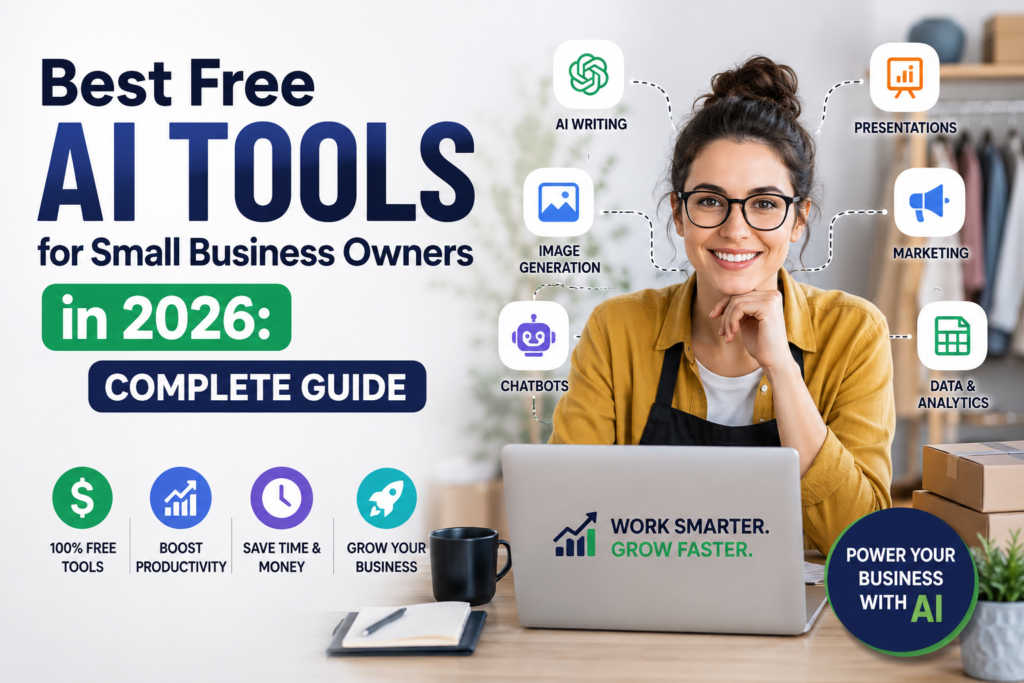
Best Free AI Tools for Small Business Owners in 2026: Complete Guide
Running a small business means wearing a dozen hats — marketer, accountant, customer service rep, operations manager, and everything in between. In 2026, AI tools are giving small business owners superpowers that were previously only available to large companies with big budgets. The best part: many of the most powerful AI tools have robust free tiers that small businesses can use without spending a dollar.
This guide covers the best free AI tools across every area of your business — marketing, customer service, writing, productivity, finance, and more. Each tool is available at no cost (at least to start), so you can implement them immediately.
AI Tools for Content Marketing and Social Media
ChatGPT (Free Tier): OpenAI’s ChatGPT remains one of the most versatile free AI tools available. Use it to write social media captions, blog post outlines, email newsletters, product descriptions, customer FAQs, and marketing copy. The free tier uses GPT-4o mini and is surprisingly capable for most small business writing tasks. Start here if you have never used AI for content creation.
Claude.ai (Free Tier): Anthropic’s Claude is excellent for longer, more nuanced writing tasks. Great for writing detailed blog articles, analyzing competitor content, drafting press releases, and creating comprehensive marketing materials. The free tier provides access to Claude Sonnet, which handles complex writing and analysis tasks impressively well.
Canva AI (Free Plan): Canva’s free plan includes powerful AI features for small business marketing. Magic Design creates complete social media posts, flyers, and presentations from a text prompt. Magic Write generates marketing copy within your designs. The free plan includes thousands of templates and 5GB of cloud storage — more than enough for most small businesses.
Buffer (Free Plan): Schedule social media posts across multiple platforms with Buffer’s free plan. Buffer now includes AI assistance for writing captions and choosing optimal posting times. The free plan supports three social media channels and up to 10 scheduled posts per channel.
AI Tools for Customer Service
Tidio (Free Tier): Tidio is an AI-powered live chat and chatbot platform designed for small businesses. The free plan allows you to deploy an AI chatbot on your website that can answer common customer questions, collect leads, and hand off complex queries to you. The AI can be trained on your business’s specific information to provide accurate, relevant responses 24/7.
Intercom Fin (Limited Free Access): Intercom’s AI agent can resolve a significant percentage of customer support questions automatically without human intervention. While the full product requires a subscription, the starter plan is accessible for small businesses with modest support volume.
Freshdesk (Free Plan): Freshdesk’s free plan supports up to 10 agents and includes AI-powered ticket sorting and canned response suggestions. For small businesses just starting to build a customer support system, Freshdesk’s free tier provides enterprise-level features at zero cost.
AI Tools for Writing and Communication
Grammarly (Free Plan): Grammarly’s free plan checks grammar, spelling, and basic punctuation. It is essential for any business owner who writes emails, proposals, or marketing content. Even the free version catches errors that hurt your professional credibility. The premium plan adds tone detection, clarity suggestions, and a full AI writing assistant — worth considering once your business grows.
Otter.ai (Free Plan): Automatically transcribes meetings, calls, and voice notes. The free plan provides 300 minutes of transcription per month — enough for most small business owners. Use it to transcribe client calls and create action item lists automatically, record and transcribe team meetings, and dictate ideas and have them transcribed into text.
Notion AI: If you use Notion for business documentation, the built-in AI assistant can summarize documents, generate first drafts, create meeting agendas, and answer questions about your stored information. The base Notion plan that includes AI starts at $10/month, but the productivity gains typically justify the cost quickly.
AI Tools for Marketing and SEO
Google’s AI Overview and Search Generative Experience: Understanding how Google’s AI features display information helps you optimize your content to appear in AI-generated search results. Write comprehensive, well-organized content that directly answers questions your customers ask.
Ubersuggest (Free Tier): Neil Patel’s SEO tool has a free tier that provides keyword research, competitor analysis, and content ideas. The AI-powered content suggestions help you create articles that rank on Google. Particularly useful for identifying questions your target customers are searching for.
AnswerThePublic (Free Limited): Generates visual maps of questions people ask about any topic. Invaluable for content ideation and understanding what information your customers need. The free tier allows a limited number of searches per day — enough for regular content planning.
Mailchimp (Free Plan): Mailchimp’s free plan supports up to 500 contacts and 1,000 emails per month. It includes AI-powered subject line suggestions, send time optimization, and basic customer segmentation. For small businesses just starting to build an email list, Mailchimp’s free plan is the natural starting point.
AI Tools for Finance and Accounting
Wave (Free): Wave is completely free accounting software for small businesses with no hidden fees. It handles invoicing, expense tracking, accounts payable, and basic reporting. The AI features help categorize transactions and identify patterns in your spending. For freelancers, consultants, and small businesses with straightforward finances, Wave eliminates the need for expensive accounting software.
Expensify (Free for Individuals): Expensify’s individual plan is free and uses AI to automatically scan receipts, extract data, and categorize expenses. Point your phone camera at any receipt and Expensify creates the expense record automatically. The time savings on expense management alone justify using this tool.
AI Tools for Productivity and Operations
Zapier (Free Plan): Zapier automates repetitive tasks between apps without coding. The free plan supports unlimited Zaps (automated workflows) with up to 100 tasks per month. Examples: automatically add new email subscribers to your CRM, post new blog articles to social media, create calendar events from new client inquiries, and notify your team when new leads come in.
Make (formerly Integromat) (Free Plan): Similar to Zapier but with more complex workflow capabilities. The free plan allows 1,000 operations per month. Excellent for more sophisticated automations that Zapier’s free plan cannot handle.
Trello (Free Plan): Trello’s visual project management with Butler AI automation is free forever for the basic tier. Butler automatically moves cards, assigns tasks, and sends reminders based on rules you define. Small teams find Trello’s free plan provides everything they need for project tracking.
Slack (Free Plan): Slack’s free plan includes 90 days of message history and 10 app integrations. The AI-powered search and workflow builder help small teams communicate and automate processes without complexity.
AI Tools for Sales and Lead Generation
HubSpot CRM (Free Forever): HubSpot’s free CRM is one of the most comprehensive free tools available to small businesses. It includes contact management, deal tracking, email templates, meeting scheduling, and basic AI features for sales automation. The free tier supports unlimited users and contacts. For a small business building a sales process, HubSpot’s free CRM provides enterprise-level capabilities.
LinkedIn Sales Navigator (Free Trial): While not permanently free, LinkedIn Sales Navigator’s 30-day trial gives you access to advanced AI-powered lead search and recommendations. Use the trial period strategically to identify and save a list of ideal prospects.
How to Implement AI Tools Without Overwhelm
With so many tools available, it is easy to get overwhelmed. Here is a practical implementation strategy: Start by identifying your biggest time drain. If writing content takes the most time, start with ChatGPT or Claude. If customer service is overwhelming you, start with Tidio. If bookkeeping is painful, start with Wave.
Implement one new tool per month. Spend the first week learning the tool, the second and third weeks integrating it into your workflow, and the fourth week evaluating its impact. By the end of the year, you will have 12 AI tools working for you, collectively saving hours of time each week.
The Competitive Advantage of AI for Small Business
In 2026, small businesses that use AI compete on an even playing field with much larger companies. A solo entrepreneur with the right AI stack can produce the content, provide the customer service, and operate the marketing machine of a much larger organization — at a fraction of the cost. The tools are free or nearly so. The only investment required is time and willingness to learn.
Start today. Pick one tool from this list, create a free account, and spend 30 minutes exploring it. The competitive advantage of AI adoption is real, and it compounds over time. The businesses that start now will be far ahead of those that wait.