
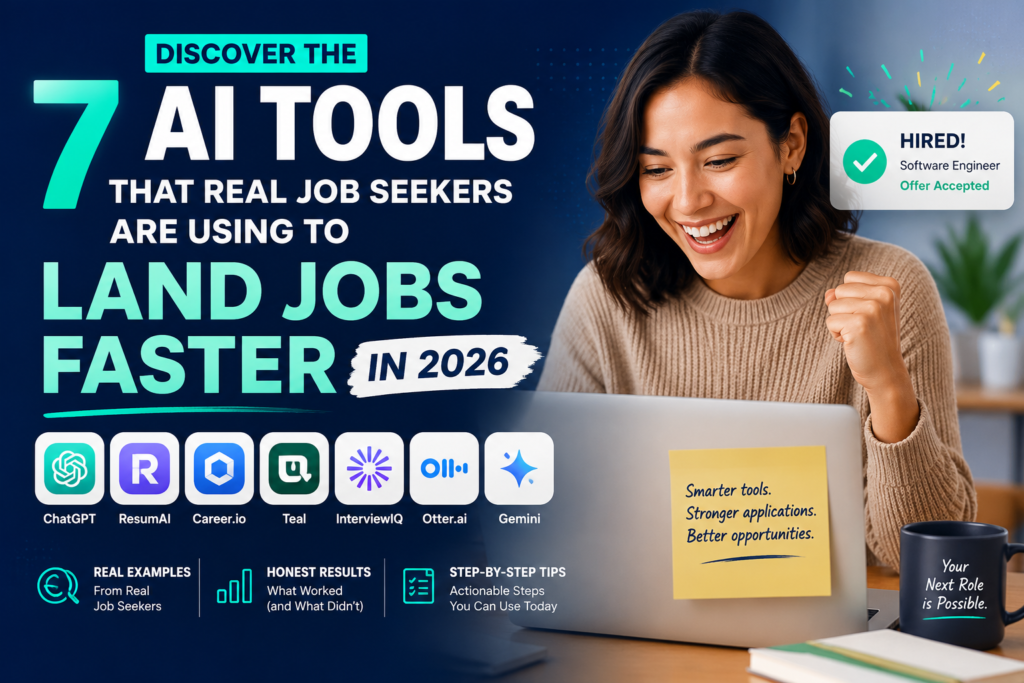
7 AI Tools That Actually Got Me a Job in 2026 (Real Results, Not Hype)

file 00000000af2471f8aef0432ac88bff80

7 AI Tools That Actually Got Me a Job in 2026 (Real Results, Not Hype)

I spent four months applying to jobs and hearing absolutely nothing back. Not even rejection emails. Just silence. I had a decent resume, a LinkedIn profile, and what I thought was a solid strategy. Turns out my strategy was just… sending PDFs into the void and hoping for the best.

Then I started using AI tools. Not all of them worked. Some felt like glorified autocomplete. But seven of them genuinely changed how I approached the job search, and one of them helped me land a role I didn’t even think I was qualified for. I’m going to walk you through exactly what I used, how I used it, and what actually moved the needle.

🌐 Need a Website? Get fast, affordable hosting with Hostinger — perfect for beginners. 👉 Get Started with Hostinger →

No fluff. Just what worked.

1. ChatGPT — My Personal Job Search Coach

I know everyone talks about ChatGPT, but most people are using it wrong. They paste in a job description and ask for a cover letter. That’s not the move.

What actually helped me was using it as a thinking partner. I’d describe the role, talk through my experience out loud (well, in text), and ask it to help me identify which of my skills were actually relevant. It helped me reframe experiences I had written off as irrelevant into genuinely compelling talking points.

I also used it to prep for interviews by having it roleplay as a hiring manager and throw tough questions at me. After a few sessions, I stopped rambling and started answering with structure.

Tip: Give it context. Don’t just paste a job description. Tell it your background, what you’re nervous about, and what you think your weak spots are. The more it knows, the more useful it gets.

2. Claude — The One That Actually Read My Resume

Claude is Anthropic’s AI assistant, and I started using it specifically because I found it gave more nuanced, thoughtful feedback than I expected. I uploaded my resume and asked it to critique it like a recruiter who had seen ten thousand resumes and was mildly annoyed.

The feedback was sharp. It told me I was burying my accomplishments in job descriptions that read like task lists. It caught vague phrases I’d been using for years without realizing they meant nothing. It also helped me rewrite bullet points to lead with impact rather than responsibility.

What I liked most was that it pushed back when I disagreed with its suggestions. We’d actually go back and forth until we landed on something that sounded like me but was stronger.

Tip: Ask Claude to rewrite a specific bullet point three different ways, then pick the version that sounds most like you. You’ll often end up combining two of them into something better than all three.

3. Teal — The Spreadsheet I Never Had to Build

Before Teal, my job tracking system was a Google Sheet I kept meaning to update. It had about forty rows, most of them incomplete, with status columns like “applied?” and “heard back??” written with genuine uncertainty.

Teal is basically a job search CRM built for humans. It tracks every application, pulls in job descriptions automatically when you save a listing, and has a built-in resume builder that shows you how well your resume matches each role. That match score was uncomfortable at first. Some jobs I thought I was perfect for? Teal told me my resume was hitting maybe 40% of the key terms.

That visibility changed how I applied. I stopped spraying and started targeting.

Tip: Use the resume tailoring feature for every application, not just the ones you’re excited about. The roles you’re less sure about are often the ones where a little tailoring makes you look surprisingly strong.

4. Kickresume — Because My Resume Looked Like It Was From 2014

I’m not a designer. My resume was technically correct but visually depressing. Everything was the same size, same weight, same color (black). It looked like a legal document.

Kickresume has templates that are actually clean and modern without looking like you’re trying too hard. But the more useful feature for me was the AI writing assistant built into the editor. As I filled in my experience, it would suggest ways to strengthen what I’d written. Not replace it — just sharpen it.

It also has a resume checker that scores your resume across multiple dimensions, including clarity, keyword usage, and section completeness. The first time I ran mine through, it flagged things I genuinely hadn’t considered, like missing a summary section and having no quantified results in two of my three roles.

Tip: Don’t just pick the prettiest template. Pick the one that works best for your field. Creative roles can handle more visual flair. If you’re going into finance or ops, lean clean and minimal.

5. LinkedIn AI Features — Surprisingly Useful for Profile Optimization

LinkedIn has been rolling out AI features, and while some of them feel like features for features’ sake, a few actually helped me. The AI-assisted profile writing suggestions pushed me to think about my headline differently. I had been using my job title. Just my job title. LinkedIn’s suggestions kept nudging me toward something that communicated value, not just role.

I also used LinkedIn’s AI-generated job match insights to understand why certain roles were being recommended to me and what gaps I might have for others. It wasn’t perfect, but it surfaced patterns I hadn’t noticed — like the fact that I kept gravitating toward roles that required a skill I had but never listed anywhere on my profile.

The AI messaging suggestions for reaching out to connections felt a little stiff, so I mostly rewrote those. But as a starting point for people who dread cold outreach, they’re genuinely helpful.

Tip: Update your LinkedIn “Open to Work” settings to be specific. The more precise you are about roles and locations, the better the AI-powered job matching gets over time.

6. Grammarly — Not Just Spellcheck Anymore

I almost didn’t include Grammarly because I assumed everyone already uses it. But I was using it wrong for years. I had it set to “general” writing style and ignored most of its suggestions because they felt overly formal.

When I switched to using it specifically in “job application” contexts and started paying attention to its tone suggestions, it caught things I didn’t expect. Cover letters I thought were confident were reading as passive. Sentences I thought were punchy were actually hedging. Phrases like “I believe I could potentially contribute” were everywhere in my writing, and I hadn’t noticed.

Grammarly also flagged when my emails to recruiters were coming across as too casual or too stiff. That calibration made a real difference in how I showed up in written communication, which, in a remote-first job market, is basically your first impression.

Tip: Turn on the tone detector and actually read the suggestions. Don’t just accept or reject them — understand why it’s flagging something. That understanding will make you a better writer over time, not just in job applications.

7. Perplexity — Company Research That Didn’t Take All Day

Before interviews, I used to spend hours trying to research companies across their website, LinkedIn page, press releases, and whatever reviews I could find on Glassdoor. I’d walk in having absorbed a lot of information but not really synthesized it into anything useful.

Perplexity changed that. It’s an AI-powered search tool that gives you sourced, synthesized answers rather than just a list of links. I’d ask it things like “What are the main challenges facing [Company X] in the next 12 months?” or “What has [Company X] said publicly about their expansion plans?” and get a coherent summary with citations I could follow up on.

I’d spend 20 minutes with Perplexity before an interview and walk in more prepared than I used to after two hours of scattered googling. It also helped me generate smart questions to ask at the end of interviews, which every recruiter seemed to notice and comment on.

Tip: Ask Perplexity about the industry, not just the company. Understanding the broader landscape makes you sound like someone who thinks strategically, not just someone who did their homework.

A Story That Puts This in Context

Marcus, a 29-year-old marketing grad from Atlanta, was applying for content strategy roles after being laid off from a tech startup. He had good experience but kept getting stuck at the resume screening stage. He started using Teal to track his applications and realized he was applying to around sixty roles without ever tailoring his resume once. His match scores were consistently low.

He spent one weekend rebuilding his resume using Kickresume, sharpening each bullet point with Claude’s feedback, and running the final version through Grammarly for tone and clarity. Then he used Perplexity to prep for every interview he got from that point forward, spending twenty minutes per company instead of his usual hours-long spiral.

Within six weeks, he had three final-round interviews. He accepted an offer from a company he’d found through LinkedIn’s job match feature — one he hadn’t even heard of before the algorithm surfaced it. The role paid 18% more than his previous position.

He told me the biggest shift wasn’t any single tool. It was finally having a system instead of just effort.

Frequently Asked Questions

Are these AI tools free to use?

Most of them have free tiers that are genuinely useful. ChatGPT, Claude, Perplexity, and Grammarly all offer free versions. Teal and Kickresume have free plans with some premium features locked. LinkedIn’s AI features are available to all users, though some are tied to Premium. You can get a lot done without spending anything, and if you land a job, upgrading temporarily is easy to justify.

Is it dishonest to use AI to write my resume or cover letter?

Using AI to strengthen your writing isn’t dishonest any more than using a career coach or having a friend review your resume is dishonest. The experiences, accomplishments, and skills still need to be yours. AI just helps you communicate them more clearly. The key is making sure the final product sounds like you and accurately represents your background.

Do recruiters know when AI was used in a job application?

Sometimes they can tell when a cover letter feels robotic or when phrases don’t match the rest of your communication style. That’s why editing and personalizing whatever AI produces is so important. Use AI as a starting point and a sharpening tool, not a ghostwriter you never review.

How much time did this whole process actually take?

Setting everything up — building out Teal, rebuilding my resume in Kickresume, learning how to prompt ChatGPT and Claude well — took maybe a weekend. After that, tailoring an application for a specific role took me 30 to 45 minutes instead of the two or three hours it used to take when I was starting from scratch each time. The upfront investment paid off quickly.

Which tool should I start with if I’m completely overwhelmed?

Start with Teal to get organized, then use Claude or ChatGPT to improve your resume. Once your resume feels solid, everything else flows more naturally. A strong foundation makes every other tool work better.

The Honest Takeaway

None of these tools found me a job by themselves. What they did was close the gap between the effort I was putting in and the results I was getting out. I was working hard before. I just wasn’t working smart. Having a tool that would actually critique my resume, another that helped me walk into interviews prepared, and a system that kept me from losing track of where I’d applied — that combination changed everything. If you’re in the middle of a job search right now and feeling like you’re doing everything right but getting nowhere, try building a real system around a few of these tools. You might be surprised how quickly the silence turns into callbacks.

For more honest breakdowns of AI tools that actually work, head to risewithaihub.com.

Leave a Comment

Your email address will not be published. Required fields are marked *