
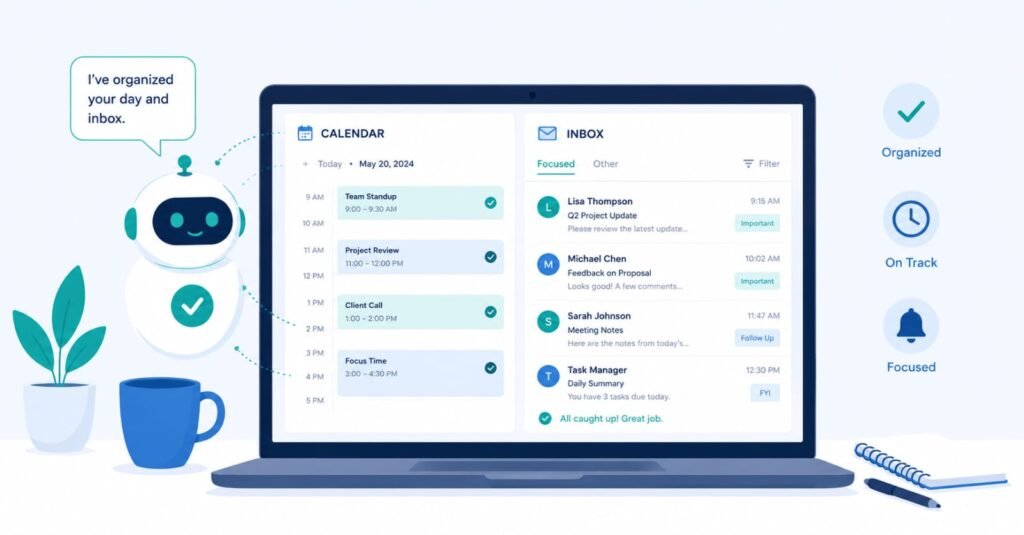
For about eight months, I paid a virtual assistant roughly $2,000 a month to manage my inbox, schedule calls, and handle the repetitive admin work that used to eat my mornings. When she moved on to a full-time role, instead of hiring a replacement, I decided to see how far AI tools alone could get me.
That was fourteen months ago. My current AI tool stack costs under $100 a month combined. Here is the honest breakdown — what each tool actually does, what it costs, where it falls short, and what I genuinely miss about having a human in the loop.
Quick Numbers
Previous VA cost: ~$2,000/month | Current AI stack: ~$78/month | Time saved: ~14 hours/week on admin tasks
Why I Stopped Looking for a Replacement VA
When my VA left, my instinct was to rehire immediately. But the three-week gap before I found someone new was actually revealing — I discovered that roughly 70% of what she handled was purely mechanical: drafting replies from templates, moving calendar blocks, creating notes from call recordings, and running the same three-step workflows over and over. Only the remaining 30% actually required human judgment.
That 70% is where AI tools have become genuinely capable. Here is what replaced each piece of it.
1. ChatGPT — Email Drafting and Communication
What my VA did: Draft 15–25 email responses per day, ranging from scheduling confirmations to vendor negotiations to client check-ins.
What ChatGPT does instead: I keep a library of saved prompts for my most common reply types — about 12 templates that cover 80% of what lands in my inbox. I paste in the incoming email, choose the right prompt, and get a draft in under 10 seconds. I edit for tone, add specific details, and send.
Actual time comparison: My VA averaged about 4 minutes per email including back-and-forth. My ChatGPT workflow runs about 90 seconds per email once the prompt library is set up. The setup took about two hours total.
Pricing: ChatGPT Plus costs $20/month. The free tier works for lighter use, but GPT-4o access is worth it for nuanced professional emails.
Honest limitation: ChatGPT doesn’t know my history with specific contacts. I have to provide context it would take a human assistant months to absorb naturally — relationship background, tone preferences per person, ongoing threads. It’s good at execution but blind to context unless I supply it.
Verdict: Replaces 80% of email drafting work. The remaining 20% — sensitive client situations, anything requiring relationship awareness — still needs me directly.
2. Reclaim.ai — Calendar Management and Focus Time
What my VA did: Manage calendar conflicts, protect focus blocks, and shuffle meetings when something ran over or got rescheduled.
What Reclaim does instead: It automatically defends time blocks for deep work, syncs across my calendars, and reschedules flexible tasks when something moves. If a meeting runs long and cuts into a blocked focus session, Reclaim finds the next available slot and moves the task without me touching anything.
Actual time comparison: Calendar tetris used to take my VA 30–45 minutes a week. Reclaim handles 90% of it with zero intervention. I spend maybe 5 minutes a week on calendar decisions that require actual judgment — like whether a specific meeting is worth disrupting a key work block.
Pricing: Reclaim has a free tier for basic scheduling. The Starter plan at $8/month unlocks habits, smart 1:1 scheduling, and better task integration — worth it if you have a dense calendar.
Honest limitation: Reclaim optimizes around rules I set, but it doesn’t understand priorities the way a good assistant does. It doesn’t know that the call with a new investor matters more than the weekly team sync, unless I manually rank those priorities. Setup requires thought upfront.
Verdict: Best single tool in this list for pure time savings. If you have back-to-back meetings and lose control of your schedule regularly, this tool pays for itself in the first week.
3. Otter.ai — Meeting Notes and Action Items
What my VA did: Join calls on mute, take notes, and send a summary with action items within 30 minutes of every meeting ending.
What Otter does instead: Joins calls automatically via calendar integration, transcribes in real time, and generates an AI summary with action items before I’ve even stood up from my desk. The summary is in my inbox before the next thing on my calendar starts.
Actual time comparison: My VA spent roughly 45 minutes per call — 15 joining and monitoring, 30 writing up. Otter runs completely in the background and produces better-structured summaries than my VA did, in zero of my time.
Pricing: Otter Pro is $16.99/month. The free plan (300 minutes/month) is enough to test it, but anyone with more than a few calls per week will hit the cap quickly.
Honest limitation: Transcription accuracy drops significantly with heavy accents, crosstalk, or poor audio. I review every summary before acting on action items — about 2 minutes per call — because occasional misattributions of who said what can matter in client-facing contexts.
Verdict: Reliable and significantly better than what I was paying for before. The action item detection alone is worth the subscription for anyone who manages multiple concurrent projects.
4. Zapier — Repetitive Workflow Automation
What my VA did: Run multi-step manual workflows: new form submission comes in → add to spreadsheet → send acknowledgment email → notify me in Slack → create follow-up task in project management tool.
What Zapier does instead: Those same five-step sequences now run automatically whenever the trigger fires, 24/7, without anyone touching anything.
Actual time comparison: My VA spent about 2 hours a week on workflow chains that are now fully automated. The setup time for each Zap is 20–45 minutes, which means the ROI on anything you run more than twice a week is immediate.
Pricing: Zapier’s free plan allows 5 Zaps with 100 tasks/month — enough to test the concept. The Starter plan at $19.99/month covers most small business needs. Professional at $49/month unlocks multi-step Zaps and filters.
Honest limitation: Zapier has the steepest learning curve of anything on this list. The logic of triggers, actions, and filters takes time to internalize, and debugging broken Zaps requires patience. If you’re not comfortable with basic logical thinking (if X, then Y), expect a few frustrating hours before it clicks.
Affiliate note: If you’re already on Hostinger for hosting, their ecosystem integrates cleanly with Zapier for form-to-email automations. 👉 Get Started with Hostinger →
Verdict: The highest leverage tool here for anyone with repetitive multi-step workflows. Once it’s running, it’s invisible and indispensable.
5. Canva Magic Studio — Quick Visual Assets
What my VA did: Create social graphics, simple slide decks, and quick-turnaround visual assets — usually with a 24-hour back-and-forth cycle per request.
What Canva Magic Studio does instead: AI-assisted design that lets me generate on-brand graphics in minutes using Magic Design (describe what you want and it generates layouts), Magic Write (draft text for slides and posts), and background removal in one click.
Actual time comparison: A social graphic that used to take 24 hours round-trip with my VA now takes 8–15 minutes. The output quality is more consistent because it stays within my brand kit automatically.
Pricing: Canva Pro is $15/month and includes the full Magic Studio suite. The free tier includes basic AI features but limits Magic Design generations and removes the brand kit — the Pro upgrade is worth it if you produce content regularly.
Honest limitation: Canva’s AI excels at templates and variations but struggles with truly original creative direction. Anything requiring a distinct visual identity beyond “professional and clean” still benefits from human creative input. For content marketing and social, it’s more than enough.
Verdict: Eliminates the dependency on back-and-forth with a human designer for routine assets. For a solo operator or small team producing regular content, this is one of the clearest wins in the stack.
The 30% AI Still Can’t Replace
After fourteen months, here is what I’ve had to accept: the cases where having a skilled human assistant genuinely mattered were not random. They cluster around three things.
Relationship memory. A great VA remembers that a client mentioned their daughter’s recital last call, or that a vendor is sensitive about payment timing. AI has no persistent memory across weeks of context without deliberate engineering.
Judgment on ambiguity. When a client email is terse and could mean frustration or just busyness, a good assistant reads the subtext and knows how to respond. AI defaults to the literal reading.
Accountability loops. A human assistant follows up when I don’t respond to something. AI tools don’t chase me. That passive accountability is something I genuinely lost.
For anyone running a business with significant client relationship management, a hybrid approach — AI for mechanical tasks, human for relationship-sensitive work — is probably the right answer. I’m considering a part-time VA at 10 hours a week to cover the 30% gap, which would bring my total cost to around $400–500/month versus the $2,000 I was spending before.
Full Stack Summary
| Tool | Replaces | Cost/mo | Time Saved/wk |
|---|---|---|---|
| ChatGPT Plus | Email drafting | $20 | ~3 hrs |
| Reclaim.ai Starter | Calendar management | $8 | ~4 hrs |
| Otter.ai Pro | Meeting notes | $16 | ~3 hrs |
| Zapier Starter | Workflow automation | $19 | ~2 hrs |
| Canva Pro | Visual assets | $15 | ~2 hrs |
| Total | Full VA coverage | $78/mo | ~14 hrs/wk |
Frequently Asked Questions
Do I need all five tools, or can I start with one?
Start with whichever tool addresses your biggest pain point. If email volume is crushing you, start with ChatGPT. If you lose hours to calendar chaos, Reclaim is the first move. You don’t need the full stack on day one — I built it up over six months.
Is this setup realistic for a non-technical person?
ChatGPT, Otter, and Canva require no technical knowledge. Reclaim takes an afternoon to configure properly. Zapier has a learning curve but their templates library makes starting points accessible — you rarely need to build from scratch. Overall, yes — a non-technical person can run this stack with patience.
What about data privacy with AI tools handling business emails?
This is a valid concern. ChatGPT’s business tier and enterprise options offer stronger data protections. For sensitive client information, review each tool’s data policy before use. I don’t paste confidential financial or legal information into any AI tool without checking the terms first.
Would you go back to a full-time VA?
For the 70% of mechanical work — no. For the relationship-intensive 30% — I’m genuinely considering a part-time option. The hybrid model is probably the right long-term answer for most small business operators.
Did switching actually save money after accounting for your own time?
Yes, but with an asterisk. I saved $1,900/month in direct costs. I added back roughly 3 hours/week of higher-quality oversight work that I now do myself. If my time is worth $100/hour, that’s $300/week or ~$1,200/month — still a significant net savings, but not the full $1,900 the raw numbers suggest.
Final Thoughts
This isn’t a story about AI replacing humans. It’s a story about which parts of knowledge work were always more mechanical than they felt — and which parts genuinely required a person paying close attention.
If you’re earlier in the process of building your AI productivity stack, our 30-day AI productivity tracking experiment breaks down exactly how these tools affect real output over time, with data rather than impressions.
Read: 30 Days of AI Productivity Tracking →