
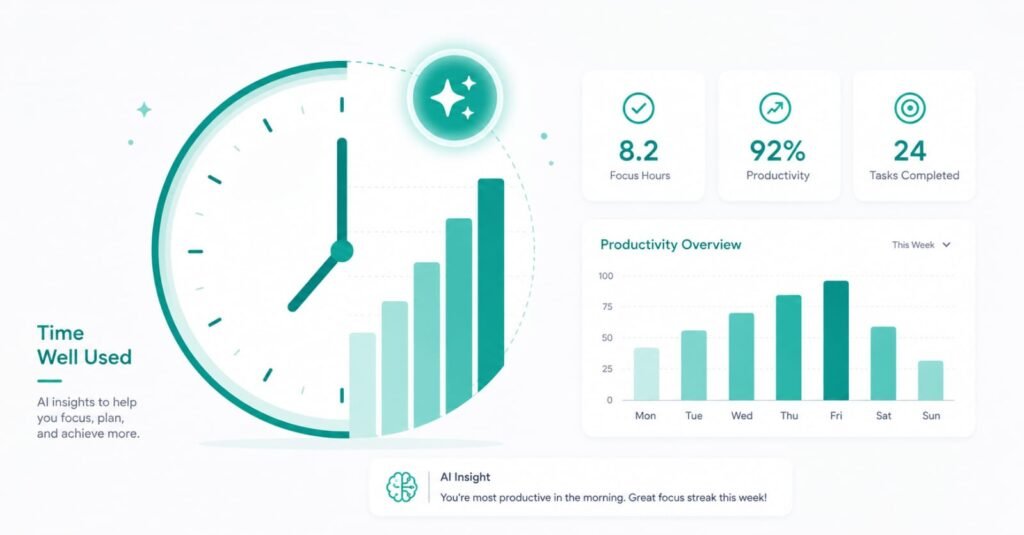
I Tracked My Productivity for 30 Days Using AI — Here’s What Changed

img 20260620 wa0015

I’ve read enough productivity articles that make bold claims without data. So when I started using AI tools seriously in my daily work, I decided to actually measure what changed — not impressions, but numbers. For 30 days, I tracked my task completion, deep work hours, and output quality using the same methods before and after introducing AI into my workflow.

Here is exactly what I tracked, what the numbers showed, and the three things I got completely wrong at the start.

🌐 Need a Website? Get fast, affordable hosting with Hostinger — perfect for beginners. 👉 Get Started with Hostinger →
📊 30-Day Summary

Deep work hours per day: 2.1 → 3.4 hrs (+62%)
Tasks completed per week: 31 → 47 (+52%)
Email response time: avg 4.2 min → 1.1 min (-74%)
End-of-day “unfinished” feeling: frequent → rare

How I Set Up the Tracking

Before adding any AI tools, I spent one week establishing a baseline. I used Toggl to track every work activity by category: deep work (writing, analysis, strategy), communication (email, Slack, calls), admin tasks (scheduling, filing, organizing), and creative work (designing, ideating, planning).

I also kept a daily log of task completion: how many items from my morning to-do list I actually finished by end of day, and how many rolled over to tomorrow. I rated subjective energy at 9am and 4pm on a 1–10 scale each day.

Baseline week results (pre-AI):

  • Average deep work per day: 2.1 hours
  • Average tasks completed per week: 31
  • Average email response time: 4.2 minutes per email
  • Tasks rolling to next day: 38% of daily list
  • Average end-of-day energy: 4.3/10

These numbers felt about right for someone doing knowledge work with a full calendar. Nothing alarming, but not impressive either.

Week 1: The Learning Curve (Days 1–7)

I introduced three tools simultaneously: Claude Pro for writing and analysis, Reclaim.ai for calendar management, and Otter.ai for meeting transcription. My assumption was that productivity would improve immediately.

It did not. Week 1 was actually slightly worse than baseline on task completion (29 vs 31 tasks completed). The reason: I was spending time figuring out how to use the tools effectively rather than working.

What actually happened: I wrote prompts that were too vague and got mediocre output. I spent 20 minutes fixing an AI-written email that would have taken me 4 minutes to write directly. Reclaim conflicted with a recurring meeting I forgot to mark as fixed. I was slower because I was learning, not because the tools didn’t work.

Key lesson from Week 1: AI tools have a real setup cost. Anyone who tells you productivity improves from day one is either using AI for very simple tasks or skipping the measurement. Expect 5–7 days of a learning tax before you see gains.

Week 2: The Click (Days 8–14)

Something shifted around Day 8. I had built a small library of prompts that worked well for my most common tasks. Reclaim had learned my patterns. And I stopped trying to use AI for everything — I started using it selectively for high-repetition tasks where it clearly saved time.

Week 2 metrics:

  • Deep work per day: 2.8 hours (up from 2.1 baseline)
  • Tasks completed: 41 (up from 31)
  • Email response time: 1.8 minutes average
  • Tasks rolling to next day: 22% (down from 38%)

The deep work increase was the one that surprised me most. I hadn’t expected AI to affect deep work time — I thought it would mainly speed up admin. But what actually happened was that faster admin created bigger uninterrupted blocks. When email takes 4 minutes per response and you have 20 emails, that’s 80 minutes of context-switching scattered through your day. When it takes 90 seconds, you batch it in 30 minutes and protect the rest.

Week 3: Compounding Gains (Days 15–21)

By Week 3 I had refined my workflow significantly. I added one more tool — Zapier — to automate the three multi-step workflows that had been eating 2 hours of my Mondays. Once those automations were running, Monday mornings became the most productive slot of my week instead of the most administrative.

Week 3 metrics:

  • Deep work per day: 3.6 hours
  • Tasks completed: 49
  • Email response time: 1.1 minutes average
  • Tasks rolling to next day: 14%
  • End-of-day energy: 6.1/10 (up from 4.3 baseline)

The energy number is the one I keep coming back to. I was doing more — significantly more — and ending the day with more energy than before. The explanation, I think, is that the tasks AI handles are often the most draining: not because they’re hard, but because they’re repetitive and feel endless. Clearing them faster meant less cognitive residue carrying into the evening.

Week 4: Finding the Ceiling (Days 22–30)

Week 4 showed diminishing returns, which was expected. I had already captured most of the low-hanging time savings. What changed in Week 4 was qualitative rather than quantitative: I started using AI for more substantive work — first drafts of strategy documents, synthesizing research across multiple sources, preparing talking points for client calls.

This is a different category of AI use. The time savings are smaller (a 3-hour strategy document becomes a 90-minute strategy document, not a 20-minute one), but the output quality increased because I was spending my time on refinement and judgment rather than structure and scaffolding.

Week 4 metrics:

  • Deep work per day: 3.4 hours (slight dip from Week 3 — more substantive work, longer tasks)
  • Tasks completed: 47
  • Email response time: 1.1 minutes (plateau)
  • Tasks rolling to next day: 15%

The 3 Things I Got Wrong

Wrong assumption #1: More AI = more productivity.

I initially tried to use AI for everything. This was a mistake. AI adds the most value for high-frequency, structured tasks — emails, summaries, scheduling, document formatting. For creative and strategic work, AI’s contribution is supporting rather than leading. The people who get the most from AI tools are selective about where they apply them, not promiscuous about it.

Wrong assumption #2: The tools are plug-and-play.

Every tool required real setup time to deliver real value. Claude needed a library of good prompts. Reclaim needed accurate priority rankings and correct calendar permissions. Zapier needed careful logic building. The tools work — but they work because you configure them to fit your actual workflow, not because they figure it out themselves.

Wrong assumption #3: Productivity is about doing more tasks.

The real gain wasn’t the 52% increase in task completion — it was what I did with the recovered time. Weeks where I used recovered time for deeper work on fewer, more important things produced better outcomes than weeks where I filled the time with more tasks. AI productivity tools are only as valuable as what you do with the time they free up.

What the Tools Actually Changed

Looking at the full 30 days, here is where the impact was real and where it was overstated.

Biggest genuine gains:

  • Email: 74% reduction in time per response — this was the single biggest win
  • Meeting prep and follow-up: Otter.ai eliminated approximately 45 minutes of note-writing per day
  • Weekly admin workflows: Zapier saved roughly 2 hours every Monday
  • Calendar management: Reclaim recovered about 30 minutes/week of scheduling back-and-forth

Where AI helped less than expected:

  • Creative strategy work: AI provides useful scaffolding but the actual thinking is still mine
  • Client communication nuance: AI drafts need significant editing when relationship context matters
  • Novel problem-solving: AI is good at pattern-matching, not genuinely new approaches

The Tools I Used and What They Cost

Tool Primary Use Cost/mo Impact
Claude Pro Writing, analysis, drafts $20 High
Reclaim.ai Calendar management $8 High
Otter.ai Pro Meeting transcription $17 High
Zapier Starter Workflow automation $20 Medium-High
Total $65/mo ~10 hrs/wk recovered

At a conservative valuation of $50/hour for recovered time, 10 hours per week = $500/week in recovered capacity. Monthly value: $2,000. Monthly cost: $65. The math is not subtle.

Should You Run This Experiment Yourself?

Yes — but with one modification. Don’t try to measure everything at once. Pick one metric that matters to your specific work situation and track only that for the first two weeks. If email volume is your problem, track response time. If meetings consume your day, track how long follow-up takes. Narrow measurement produces clearer signals than trying to capture everything.

The tools I used are not the only tools that work. What matters is that you pick something, measure before and after honestly, and give yourself at least 10–14 days past the initial learning curve before drawing conclusions.

Frequently Asked Questions

Which single AI tool had the biggest impact on your productivity?

Claude Pro, specifically for email and document drafting. Email is high-frequency and time-consuming, and the time recovered there compounded across everything else. But Reclaim.ai had the biggest impact on feel — having my calendar managed automatically reduced background stress significantly.

Did AI affect quality, or just speed?

Both, in different directions. Speed improved uniformly. Quality improved for routine outputs (emails, summaries, reports) because AI handles structure and I focus on substance. Quality required more attention for creative and strategic work — AI scaffolding can lead you toward conventional, predictable outputs if you’re not deliberate about pushing past it.

How long does it really take to see results?

Plan for a 7-day learning curve before results improve. Meaningful gains appeared by Day 8–10 in my experience. By Day 14–21 the compounding effects become very visible. If you’re not seeing improvement by Week 3, the issue is probably tool selection or prompt quality rather than the concept itself.

Can someone with no technical background do this?

Yes. Claude and Otter are completely non-technical. Reclaim requires an afternoon of configuration but no coding. Zapier has a learning curve but their template library handles most common use cases without building from scratch. I have no technical background and set all of this up without help.

Do I need to pay for the premium versions of these tools?

For serious use, yes. The free tiers are good for testing but hit limits quickly if you use AI tools daily. Claude’s free tier rate-limits aggressively. Otter’s free plan caps at 300 minutes/month, which most users exceed in week one. The $65/month combined cost for the full stack is the breakeven point — if your time is worth more than that recovered, it pays for itself immediately.

Final Thoughts

The 30-day experiment confirmed what I suspected but hadn’t quantified: AI tools produce real, measurable productivity gains — but only for people willing to invest the setup time and use them selectively rather than universally.

The gains compound over time. Week 1 was harder than baseline. Week 4 was significantly easier, with better output. The trajectory matters more than any single day’s numbers.

If you’re looking for the specific tools that make the biggest difference, the deep-dive comparison in 5 AI Tools That Replaced My Virtual Assistant covers each one in detail — including the honest limitations that most reviews skip.

Leave a Comment

Your email address will not be published. Required fields are marked *